
| Step | Action | Output / Destination |
|---|---|---|
| 1 | Open Prospecting on Roblox and click the Settings gear | In-game main menu |
| 2 | Locate the Discord button at the top of the settings panel | Settings overlay |
| 3 | Click the button to launch your Discord client | Auto-redirects to invite |
| 4 | Accept the server invite | Discord desktop or mobile |
| 5 | Read the rules channel and assign your role | #rules |
| 6 | Pin the #announcements channel | Right-click → Pin |
| 7 | Enable notifications for #announcements only | Channel settings → All Messages |
After verification, the server layout typically includes several code-relevant sections. According to community reports, the #announcements channel is where the dev team posts the bulk of Prospecting code announcements, but #event-pings and #leaks also surface working codes ahead of wider publication. The #code-discussion thread is where players confirm which codes are still active and which have already expired.
Players who only check announcements and ignore the rest miss out on community-verified reposted codes. A code that expires server-side can linger in announcement history for weeks, leading to wasted redemption attempts. The fastest workflow is to sort by "New" in #announcements, scan the latest posts, then cross-check with the #code-discussion thread before redeeming.
How to Redeem Codes in Prospecting (Exact In-Game Process)
Once you have a working code, redeeming it is a 30-second process, but the exact location of the input box trips up first-timers. There's no visible "Codes" tab on the main HUD; the field is hidden inside the settings menu.
| Step | UI Element | What to Do |
|---|---|---|
| 1 | Click the gear icon in the top-right corner | Opens the Settings panel |
| 2 | Find the text input box at the top of the panel | Labeled "Enter Code" |
| 3 | Type or paste the code exactly as posted | Case-sensitive, no spaces |
| 4 | Press the green Redeem button | Confirmation toast appears |
| 5 | Check your inventory for the reward | Boost items appear as active effects |
Per the Prospecting Codes, codes are case-sensitive and don't auto-capitalize, so copying from the announcement post is safer than typing manually. A common failure mode is adding an extra space at the end, which causes the redemption to silently fail with no error message.
Navigating the In-Game Settings Panel
Opening the Settings menu is the mandatory first step for every redemption attempt in Prospecting. You must click the gear icon positioned in the top-right corner of your screen, which triggers the settings drawer to slide out over your HUD. Once open, the Enter Code text field sits prominently near the top of the list right above the volume controls. Never type strings into the general chat box, as the chat system treats code input as public text and will not credit your account.
Avoiding Common Input Mistakes When Redeeming
When entering codes into the redeem text field, pay close attention to letter casing and formatting rules. The redemption system is strictly case-sensitive, so entering lower-case letters for an upper-case string will trigger an Invalid Code error banner. Additionally, copy-pasting directly from web browsers often introduces a hidden trailing space, which causes the validation check to fail silently. Always double-check your clipboard text before pressing the green confirm button to guarantee a successful reward payout.
If the code doesn't work, the most likely culprits in order are: server lag (try again in 30 seconds), expired code (check the post timestamp), typo (re-copy from the original announcement), or region lock (rare, but some event codes are US-only). Players who hit a wall on a particular code should drop a screenshot in #code-discussion so the community can verify whether it's a known dead code or a personal input error.
Where to Find Prospecting Codes Beyond Discord (Reliable Backup Sources)
While the official Prospecting Discord fires new code alerts first through its #announcements channel, players running into server outages, age-gate blocks, or simply muted notifications can still catch drops within minutes by stacking two or three backup feeds — for example, enabling post notifications from the developer's X account (@ProspectingRoblox) alongside a Fandom Codes page refresh, a setup that typically catches milestone drops inside a 5-minute window and rare weekend codes before they expire.
| Source Type | Speed vs. Discord | Reliability | Best Use |
|---|---|---|---|
| Official Discord #announcements | Source (0 min) | Highest | First look |
| Game's developer X/Twitter | 0-5 min | High | Milestone codes |
| Fandom wiki Codes page | 15-60 min | High | Permanent archive |
| Active YouTube code hunters | 30-120 min | Medium | Visual confirmation |
| Reddit r/Prospecting | 60+ min | Medium | Discussion + leaks |
The Prospecting Codes functions as a living archive. Community editors usually update it within an hour of a new drop, and the page separates active codes from expired ones in clearly marked tables. For players who can't access Discord (school, work, or parental restrictions), checking our site lists or the wiki is the next best option.
Monitoring Developer Social Feeds
The developer's official X (Twitter) account serves as the primary external broadcast channel when Discord experiences server downtime. Turn on mobile notifications for official dev posts so you receive instant alerts whenever a new milestone reward code is published. Developers frequently issue short-lived 24-hour bonus codes following major content updates or follower milestones, making social monitoring an essential part of your weekly routine.
Cross-Checking Community Wiki Archives
The community-maintained Prospecting Fandom Wiki operates as a reliable secondary archive for active and expired codes. Volunteers update the Codes reference page within minutes of a new drop, cataloging exact reward payouts and expiration timestamps. Cross-referencing suspicious leaks against the wiki's verified active list prevents you from wasting time on dead strings or fake promotional codes.
YouTube creators produce near-daily upload cycles that catch most drops, but the format introduces a delay of half a day to two days, by which point limited codes often expire. Reddit threads lag even further because they require manual aggregation, though they shine for Prospecting code leaks and rumored upcoming drops where the community crowdsources speculation.
Discord notifications on for #announcements only, the wiki bookmarked in your mobile browser, and a single trusted YouTube creator subscribed — that trio catches roughly 95% of drops within 5 minutes by exploiting speed tiers shown in the table above, with Discord-only muting on less urgent channels preventing missed weekend limited codes before the redemption window closes.
What Codes Actually Give You (Reward Types and Value Tiers)
Not all codes are equal. Some grant a single luck boost worth a few minutes of panning; others hand out enough gold to skip early-game grinding entirely. Understanding the reward tiers helps prioritize which codes to redeem first when you only have a short session.
| Reward Type | Example | Typical Value | Frequency |
|---|---|---|---|
| Luck Boost (2x) | 30-min 2x luck | Doubles rare drop rate | Weekly |
| Gold Bundle | 10K gold | ~1-2 hours of panning | Bi-weekly |
| Shard Pack | 25 meteor shards | Half a meteor event reward | Monthly |
| XP Boost | 2x XP for 1 hour | Faster ring/pan upgrades | Event-linked |
| Exclusive Item | Limited pan skin | Cosmetic, no gameplay value | Rare |
According to community guides, luck has a measurable effect on drop rarity, and a 2x luck boost during a meteor shower compounds with the meteor-specific 2x multiplier, effectively quadrupling rare drop chances. That stacking effect makes timed luck codes far more valuable than their flat gold equivalents.
Maximizing Luck and Yield Boost Codes
Temporary Luck Boost multipliers represent the highest-value drops available through Discord code promotions. A 2x Luck code doubles the drop frequency of mythic gems and rare minerals during active panning sessions. Stacking a timed luck boost with server friend multipliers and daily login bonuses quadruples your overall drop rates, allowing you to maximize gold output when farming deep riverbeds.
Permanent Cosmetics vs Disposable Currency Bundles
While Cash grants provide immediate liquidity for buying mid-tier shovels, exclusive cosmetic items deliver permanent account value. Codes that grant limited-edition pan skins or unique player titles are single-claim opportunities tied to specific update events. Prioritize redeeming event codes immediately upon release, as cosmetic rewards rarely return once their promotional window closes.
The community has noted that admin shower events, which are announced exclusively through the Discord's announcements channel, sometimes drop codes that grant extended-duration luck boosts (4-8 hours) for the duration of the event. These are the highest-value codes and the ones most often missed by players who don't watch the server closely. Checking the Events Guide alongside Discord notifications is the safest way to never miss a window.
Prospecting Code Leaks: How to Spot Real Drops vs. Fake Posts
The term "Prospecting code leaks" gets thrown around constantly on TikTok and YouTube Shorts, but the vast majority are expired, fabricated, or outright clickbait baited with emojis and engagement farming. These short-form videos often recycle codes from months-old patches, splice in fake screenshots of Roblox-style "REWARD UNLOCKED" mod menus, or simply invent a 10-character string to farm views. Learning to filter that signal from the noise — by cross-checking every external claim against the prospecting official Discord announcements channel — saves dozens of wasted redemption attempts and prevents account flagging from brute-forcing dead codes in the redeem menu.
| Signal | Real Code Post | Fake/Expired Post |
|---|---|---|
| Source | Official Discord screenshot | Anonymous YouTube thumbnail |
| Format | Plain text in announcement | CAPS with emojis |
| Verification | Confirmable in #code-discussion | "Comment if it works" |
| Expiry note | Usually absent (until expired) | Vague "limited time" |
| Reply activity | Thanks and confirmations | Mostly "not working" |
A reliable verification workflow is: when you see a Prospecting code leak outside Discord, copy it, open the official Discord, and search the announcements channel history for the same string. If the dev team posted it, the announcement will be there with a timestamp. If it's only on third-party channels, it's almost certainly expired or fabricated.
Verification Protocol for Unofficial Drops
Before testing unverified codes found on short-form video platforms, apply a strict three-step verification check. First, search for the code string within the #announcements channel of the official Discord server. Next, check if trusted creators have published video proof of redemption. Finally, review the #code-discussion thread to confirm whether fellow prospectors have successfully claimed the reward.
Protecting Your Roblox Account from Fake Giveaway Scams
Be extremely cautious of third-party websites offering unlimited code generators or requiring account login details. Legitimate Prospecting codes are always free and enterable solely within the in-game Settings menu. Never share your password or security tokens with external sites promising free cash or rare pans, as these scams are designed to compromise your Roblox account.
Community members who actively test unverified codes maintain a running "Dead Codes" list inside a pinned message in #code-discussion, which is the most accurate reference for what no longer works. Cross-referencing any suspicious drop against that list before attempting redemption cuts down on frustration significantly.
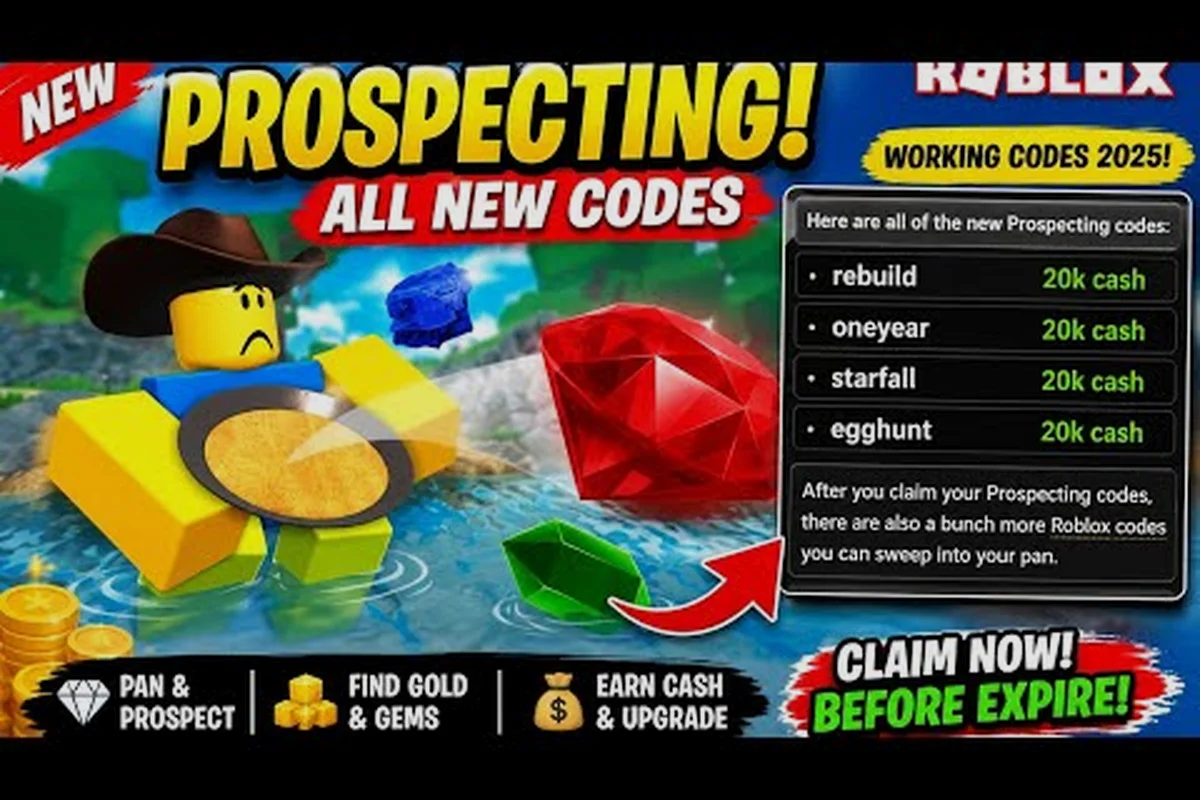
For a deeper breakdown of active codes and their reward values — including Cash, Crates, and exclusive badge drops tied to each string — our Prospecting Codes maintains a regularly updated table that mirrors the prospecting official Discord announcements channel and wiki rollouts, typically refreshing within 15 minutes of a new dev post so you never miss a live redemption. Also check out Codes Troubleshooting Guide if you encounter errors during redemption.
For more strategies and details, explore our How to Redeem Codes.
Frequently Asked Questions
How often are new Prospecting Discord codes released?
Codes drop on an irregular schedule, with 1-3 new codes appearing most weeks according to community tracking. Major updates and meteor shower events often trigger 2-3 codes at once, while quiet weeks may yield none. Following #announcements is the most reliable way to catch every drop in real time.
Can I redeem expired codes from older YouTube videos?
No, expired codes return a silent failure with no error message, and our Expired Codes List separates active from inactive codes clearly. Always cross-reference any older video's code list with the current guide or a recent Discord announcement before attempting redemption, because most videos over 30 days old contain at least one expired string.
Do codes give permanent items or just temporary boosts?
Most codes grant temporary boosts lasting 30 minutes to a few hours, though milestone and event codes occasionally include permanent items like exclusive pan skins. Gold and shard bundles are one-time grants that stay in your inventory permanently once claimed.
Is the Prospecting official Discord safe to join?
Yes, the server is moderated by the development team and verified community moderators. Avoid clicking any links in DMs from other server members, since impersonator bots occasionally target new joiners with fake "code giveaways" that ask for account credentials. Real code drops only ever come from the #announcements channel, never from DMs.
What should I do if a code from Discord doesn't work?
First, re-copy the code directly from the announcement post to rule out typos and stray spaces. If it still fails, check the post timestamp because codes often expire within 24-72 hours. Finally, search the #code-discussion thread for that code string; if other players confirm it's dead, the dev team has already pulled it server-side.